13 Best Chrome Extensions to Export Data from Any Website
The 13 best scraper Chrome extensions for exporting data from eBay, Instagram, Walmart, Shopee, TikTok Shop, and more. Free CSV, Excel, JSON export.
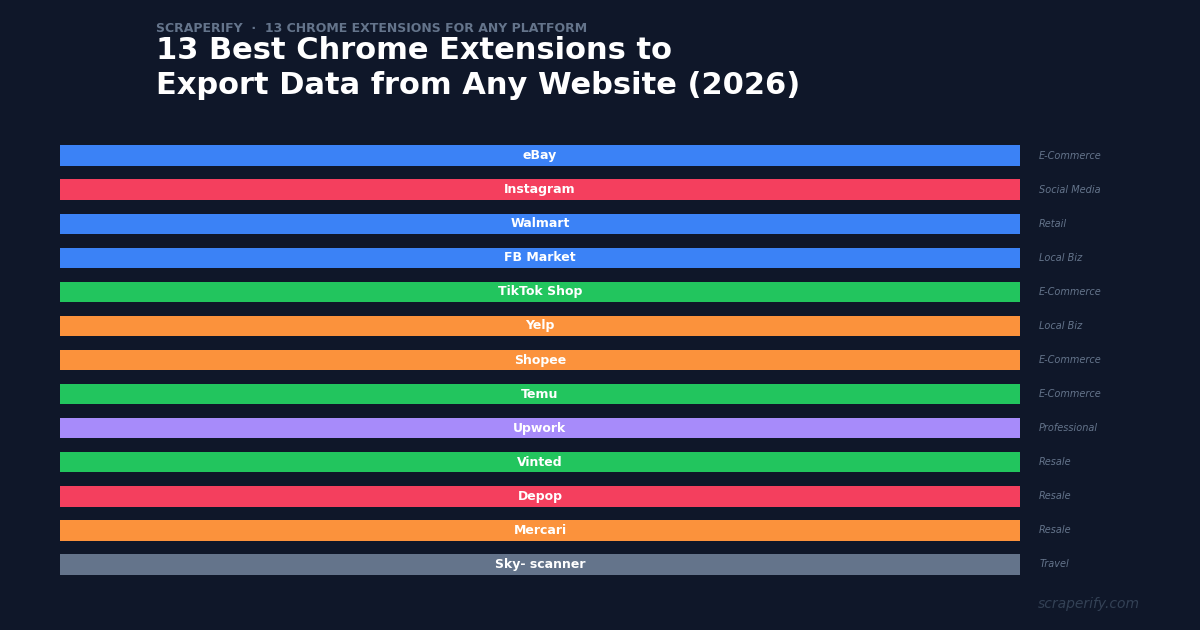
You need data from a website in a spreadsheet. Maybe it is product listings from eBay, follower data from Instagram, job listings from Upwork, or flight prices from Skyscanner. The website has no “export” button. Copying and pasting data manually takes hours. A scraper Chrome extension solves this in minutes — install it, browse the website, and export everything to CSV, Excel, or JSON in one click.
But not all scraper extensions are equal. Generic “scrape any website” tools produce messy data that requires extensive cleanup. Platform-specific scraper extensions are built to understand each website’s structure, capturing clean, organized data with proper field names and data types.
This guide covers the 13 best scraper Chrome extensions for the most popular platforms — each one built specifically for its target website, with one-click export, local data processing, and no coding required.
What Makes a Great Scraper Chrome Extension?
Before diving into the list, here is what separates a great scraper Chrome extension from a mediocre one:
- Platform-specific extraction — understands the website’s data structure and captures all relevant fields
- Clean, organized output — proper column headers, correct data types, no HTML artifacts
- Multiple export formats — CSV for spreadsheets, Excel for formatted reports, JSON for developers
- Local data processing — your scraped data never leaves your computer
- No coding required — install, browse, click, export
- No API keys — works immediately after installation
All 13 extensions in this list meet these criteria. They are all built by Scraperify and share the same clean interface, export formats, and privacy-first approach.
The 13 Best Scraper Chrome Extensions (2026)
1. eBay Scraper Chrome Extension
Best for: Resellers, collectors, auction analysts, pricing research across 15+ global markets
The eBay Scraper Chrome Extension exports listings, sold prices, auction data, and seller information from all 15+ eBay regional domains. What makes it uniquely valuable is the sold listing export — eBay is the only major marketplace that shows actual transaction prices, not just asking prices. This makes eBay sold data the universal pricing reference for resellers on every platform.
Key data fields: Title, price, sold price, bids, condition, seller feedback, item specifics, shipping cost, listing URL
Best use case: Export 90 days of sold listings for any item to calculate the true market value. Resellers on Depop, Vinted, Mercari, and Facebook Marketplace all use eBay sold prices as their pricing benchmark.
2. Instagram Scraper Chrome Extension
Best for: Influencer marketers, brand managers, social media researchers, engagement analysts
The Instagram Scraper Chrome Extension exports followers, posts, comments, and engagement data from any public Instagram profile. With 35+ exportable data fields, it replaces SaaS tools that charge $200-$500/month for the same data.
Key data fields: Follower usernames, bios, follower counts, post captions, likes, comments, hashtags, verified status, engagement metrics
Best use case: Build influencer databases by exporting follower data from niche hashtag searches, then filter by engagement rate and audience size to find the best partnership candidates.
3. Walmart Scraper Chrome Extension
Best for: Amazon FBA arbitrage sellers, price monitoring teams, retail analysts
The Walmart Scraper Chrome Extension exports products, prices, UPC codes, reviews, and seller data from Walmart.com. The UPC export is the killer feature — paste UPC codes into Amazon to instantly find the same product and compare prices for arbitrage opportunities.
Key data fields: Title, price, UPC/GTIN, brand, rating, reviews, availability, sold by (Walmart vs 3P), shipping speed
Best use case: Export Walmart rollback and clearance items, match UPCs to Amazon listings, and identify products with 40%+ margins after FBA fees.
4. Facebook Marketplace Scraper Chrome Extension
Best for: Used car dealers, furniture flippers, local market researchers, resellers
The Facebook Marketplace Scraper Chrome Extension exports listings from the world’s largest local buy-and-sell platform. With 50+ data fields including vehicle-specific data (make, model, year, mileage, VIN), it is especially powerful for automotive market analysis.
Key data fields: Title, price, condition, location, seller name, date posted, vehicle specs (make/model/year/mileage), photos, listing URL
Best use case: Export all vehicle listings for a specific make/model in your area, sort by price, and identify underpriced inventory for resale.
5. TikTok Shop Scraper Chrome Extension
Best for: TikTok Shop affiliates, dropshippers, Shopify sellers, social commerce researchers
The TikTok Shop Scraper Chrome Extension exports product data from TikTok’s rapidly growing e-commerce platform. It captures commission rates and GMV Max status — data that is critical for affiliates choosing which products to promote.
Key data fields: Title, price, units sold, rating, reviews, commission rate, GMV Max status, seller info, variations
Best use case: Export bestseller categories weekly, filter for products with 15%+ commission and 4.5+ stars, and create content for the top performers.
6. Yelp Scraper Chrome Extension
Best for: Cold email agencies, lead generation teams, local SEO professionals, sales prospectors
The Yelp Scraper Chrome Extension exports business listings with phone numbers and website URLs directly — no enrichment step needed. With 1.7M+ US business listings across every category, Yelp is the ultimate source for local business leads.
Key data fields: Business name, phone, website, address, category, rating, reviews, hours, claimed status, price range
Best use case: Export 240 HVAC businesses in Houston, enrich websites with Apollo.io for decision-maker emails, and run a cold email campaign within a day.
7. Shopee Scraper Chrome Extension
Best for: Southeast Asian e-commerce sellers, cross-border traders, dropshippers, market researchers
The Shopee Scraper Chrome Extension exports product data across all 7 Shopee markets — Singapore, Indonesia, Thailand, Vietnam, Philippines, Malaysia, and Taiwan. The “units sold” export is uniquely valuable because Shopee is one of the few platforms that shows exact sales counts publicly.
Key data fields: Title, price, units sold, rating, reviews, seller name, follower count, variations, category, shipping
Best use case: Compare prices for the same product across 7 Southeast Asian markets to identify cross-border arbitrage opportunities.
8. Temu Scraper Chrome Extension
Best for: Dropshippers, Amazon arbitrage sellers, product researchers, sourcing professionals
The Temu Scraper Chrome Extension exports product data from Temu — the platform with some of the lowest prices on the internet. Products that sell for $30 on Amazon often cost $8-$12 on Temu, making it a goldmine for arbitrage and dropshipping sourcing.
Key data fields: Title, price, original price, discount %, rating, reviews, units sold, seller name, shipping estimate, variants
Best use case: Export 200 products from a trending Temu category, compare prices to Amazon, and identify products with 3x+ markup potential for arbitrage.
9. Upwork Scraper Chrome Extension
Best for: Freelancers optimizing proposals, agencies building client pipelines, market researchers
The Upwork Scraper Chrome Extension exports job listings with client history data — total spend, hire rate, payment verification, and number of hires. This data lets freelancers target high-probability jobs instead of wasting connects on tire-kickers.
Key data fields: Job title, description, budget, skills required, proposals count, client total spend, hire rate, payment verified, client rating
Best use case: Export 100 jobs in your niche, filter for clients with $10K+ spend and 70%+ hire rate, and apply only to the top 15-20 opportunities.
10. Vinted Scraper Chrome Extension
Best for: European fashion resellers, cross-country arbitrage sellers, trend analysts
The Vinted Scraper Chrome Extension exports listings from Europe’s largest second-hand fashion marketplace — 19 countries with separate domains. The price differences between Eastern and Western European Vinted markets can be 40-60% for the same items.
Key data fields: Title, price, brand, size, condition, seller name, rating, favorites count, country, listing URL
Best use case: Export the same search from vinted.fr, vinted.de, and vinted.lt, compare average prices, and buy from the cheapest market to resell in the most expensive one.
11. Depop Scraper Chrome Extension
Best for: Gen-Z fashion resellers, crosslisters, trend spotters, vintage sellers
The Depop Scraper Chrome Extension exports listings from the platform with zero seller fees — every dollar of the sale price is profit. Depop’s young audience drives fashion trends that predict mainstream retail 6-12 months ahead.
Key data fields: Title, price, brand, size, condition, likes, saves, comments, seller username, seller rating, listing URL
Best use case: Export trending brand searches weekly to spot rising fashion trends early, then source those items before other resellers notice.
12. Mercari Scraper Chrome Extension
Best for: US and Japan resellers, electronics flippers, collectible traders, crosslisters
The Mercari Scraper Chrome Extension exports listings from Mercari’s US and Japan marketplaces. Mercari’s 10% fee is lower than eBay (13.25%) and Poshmark (20%), and the platform sells everything from electronics to collectibles to home goods — not just fashion.
Key data fields: Title, price, condition, likes, comments, seller rating, shipping details, category, date listed, listing URL
Best use case: Export sold and active listings for a product category, compare asking prices vs actual sold prices, and price your own listings based on what buyers actually pay.
13. Skyscanner Scraper Chrome Extension
Best for: Budget travelers, travel agents, corporate travel managers, digital nomads
The Skyscanner Scraper Chrome Extension exports flight search results — airlines, prices, times, stops, durations, and booking links — to a spreadsheet. This turns Skyscanner from a browsing tool into a data comparison tool, making multi-destination trip planning and group travel coordination effortless.
Key data fields: Airline, price, departure/arrival times, duration, stops, layover details, booking agent, cabin class, booking URL
Best use case: Export flights from multiple origin airports (JFK vs EWR vs LGA) to the same destination, combine into one spreadsheet, and find the cheapest option across all airports.
How to Choose the Right Scraper Chrome Extension
With 13 extensions covering different platforms, here is how to pick the right one for your needs:
| Your Goal | Best Extension | Why |
|---|---|---|
| Price items for resale | eBay Scraper | Sold prices = actual market values |
| Find influencers | Instagram Scraper | Follower + engagement data export |
| Amazon arbitrage | Walmart Scraper | UPC export for instant Amazon matching |
| Local business leads | Yelp Scraper | Phone numbers + websites included |
| Dropshipping products | Temu or TikTok Shop Scraper | Lowest sourcing prices + trending products |
| European fashion resale | Vinted Scraper | 19 countries with price arbitrage |
| Freelance job hunting | Upwork Scraper | Client history data saves connects |
| Flight comparison | Skyscanner Scraper | Multi-destination spreadsheet comparison |
| Used car research | FB Marketplace Scraper | Vehicle-specific data (make/model/mileage) |
| SEA e-commerce | Shopee Scraper | 7 markets with “units sold” data |
| Gen-Z fashion trends | Depop Scraper | Zero-fee platform, trend prediction |
| General resale pricing | Mercari Scraper | US + Japan markets, all categories |
| TikTok affiliate products | TikTok Shop Scraper | Commission rates + GMV Max status |
Why Platform-Specific Extensions Beat Generic Scrapers
You might wonder: why not use one generic scraper for everything? Tools like Instant Data Scraper or Web Scraper work on any website, but they have significant limitations:
Generic scrapers produce messy data. They extract raw HTML elements without understanding what each field means. A product price might end up in the “description” column, or seller data might be concatenated with product data. Platform-specific extensions like Scraperify’s understand each website’s structure and produce clean, properly labeled columns every time.
Generic scrapers miss platform-specific fields. eBay has auction bids and sold prices. Upwork has client spend and hire rate. TikTok Shop has commission rates and GMV Max status. Generic scrapers do not know these fields exist. Platform-specific extensions capture every data point that matters for your use case.
Generic scrapers require configuration. Most generic scrapers need you to select which elements to extract, define pagination rules, and troubleshoot extraction errors. Platform-specific extensions are pre-configured — install, browse, click, export. No setup, no troubleshooting, no CSS selector knowledge needed.
Generic scrapers break when websites update. When eBay or Instagram changes their page structure, generic scrapers stop working until you reconfigure them. Platform-specific extensions are maintained by the developer team, who push updates through the Chrome Web Store automatically. You never need to fix a broken scraper configuration.
All 13 Extensions Share These Features
Every Scraperify extension in this list includes:
- One-click export — no complex configuration or setup
- CSV, Excel, and JSON formats — choose the format that fits your workflow
- 100% local data processing — your scraped data never leaves your computer
- No API keys required — works immediately after installation from the Chrome Web Store
- No coding needed — designed for non-technical users
- Free tier available — try before you buy
- Paid plans from $19.99/month — unlimited exports
- $79 lifetime access — one payment, use forever
- Regular updates — maintained to keep up with website changes
- Same clean interface — learn one extension, use all 13
How to Combine Multiple Scraper Chrome Extensions
The real power of Scraperify is combining multiple scraper Chrome extensions for cross-platform analysis. Here are the most popular combinations:
Reseller Stack: eBay + Vinted + Depop + Mercari
Resellers who sell across multiple platforms use four scraper Chrome extensions together. Export eBay sold prices as your pricing baseline, then export active listings from Vinted, Depop, and Mercari to compare asking prices across platforms. If a vintage Nike jacket sells for $85 on eBay but is listed at $45 on Vinted, that is a buy-and-relist opportunity. All four extensions export in the same CSV format, making multi-platform comparison seamless.
Arbitrage Stack: Walmart + Temu + eBay
Amazon FBA sellers use three scraper Chrome extensions for sourcing. Export Walmart rollback items and Temu bestsellers for sourcing candidates, then check eBay sold prices to validate demand and determine selling prices. The Walmart extension’s UPC export makes Amazon matching instant. This three-source approach finds arbitrage opportunities that single-platform research misses.
Lead Generation Stack: Yelp + Instagram
Agencies selling to local businesses use two scraper Chrome extensions together. Export business contact data from Yelp (phone numbers, websites), then use the Instagram scraper Chrome extension to check if those businesses have an Instagram presence. Businesses with Yelp listings but no Instagram are perfect prospects for social media management services.
Dropshipping Stack: TikTok Shop + Temu + Shopee
Dropshippers use three scraper Chrome extensions for product research and sourcing. Find trending products on TikTok Shop, then compare sourcing prices on Temu and Shopee. The product that sells for $25 on TikTok Shop and costs $4 on Temu has $21 in gross margin — enough to cover ads, shipping, and profit.
Travel Stack: Skyscanner + (future additions)
The Skyscanner scraper Chrome extension is currently the only travel extension, but it pairs well with manual research on hotel booking sites. Export flight options to a spreadsheet, add hotel costs manually, and build a complete trip budget comparison across destinations.
Frequently Asked Questions About Scraper Chrome Extensions
Are scraper Chrome extensions legal?
Scraper Chrome extensions read data that is publicly visible on websites — the same data you can see in your browser. They automate the process of copying this public data into a spreadsheet. The legality depends on your jurisdiction and how you use the data. Always review each website’s terms of service and use exported data responsibly.
Will using a scraper Chrome extension get me banned?
All Scraperify scraper Chrome extensions operate within your normal browser session — they read data from pages you are already viewing. They do not send automated requests, bypass access controls, or violate rate limits. Browse at a normal pace and take breaks between long sessions. This mimics normal browsing behavior that platforms cannot distinguish from regular use.
Do scraper Chrome extensions work on mobile?
Chrome extensions are a desktop browser feature. Scraper Chrome extensions work on Chrome for Windows, Mac, and Linux. They do not work on Chrome for Android or iOS. For mobile data, browse on desktop Chrome or use a Chromebook.
Can I use multiple scraper Chrome extensions at the same time?
Yes. You can install all 13 Scraperify scraper Chrome extensions simultaneously. Each one activates only on its target platform — the eBay extension only works on eBay, the Instagram extension only works on Instagram, and so on. They do not conflict with each other.
How much do scraper Chrome extensions cost?
Every Scraperify scraper Chrome extension offers a free tier with limited exports. Paid plans are $19.99/month per extension for unlimited exports. Lifetime access is $79 per extension — one payment, use forever. There is no subscription trap — the lifetime option is a genuine one-time purchase.
Do scraper Chrome extensions require coding?
No. Every scraper Chrome extension in this list is designed for non-technical users. Install from the Chrome Web Store, browse the target website, click one button, and download your file. No Python, no JavaScript, no CSS selectors, no API keys.
Get Started Today
Pick the scraper Chrome extension that matches your platform, install it from the Chrome Web Store, and start exporting data in under 2 minutes. No coding. No API keys. No per-record fees. Just data, in a spreadsheet, ready to analyze.
Export Data from Any Platform
Scraperify has 13 Chrome extensions covering e-commerce, social media, travel, jobs, and local business platforms. All free to try.
Browse All 13 Scrapers →Free tier on every extension · Paid plans from $19.99/month · $79 lifetime